
Apply for and Approve Leave Requests in Zoho People
Here is our approach for applying for and approving leave requests in Zoho People in a simple way.
Even a non-technical person can easily set it up in just a few steps.

Approach
We can configure leave approvals, submit a leave request, and approve it using the following steps.
1. Configuring Leave Approvals
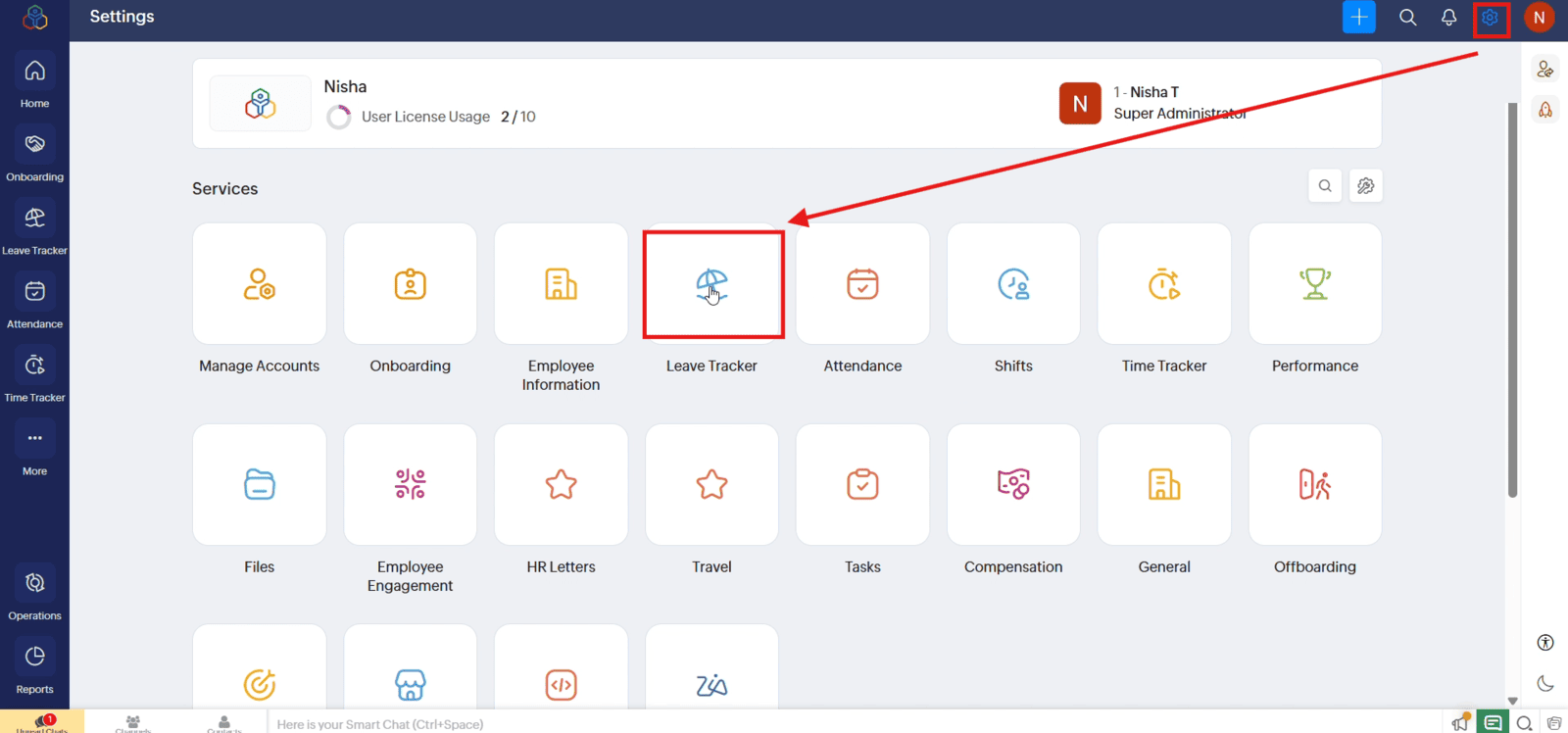
1.1 Open "Settings" and select "Leave Tracker"
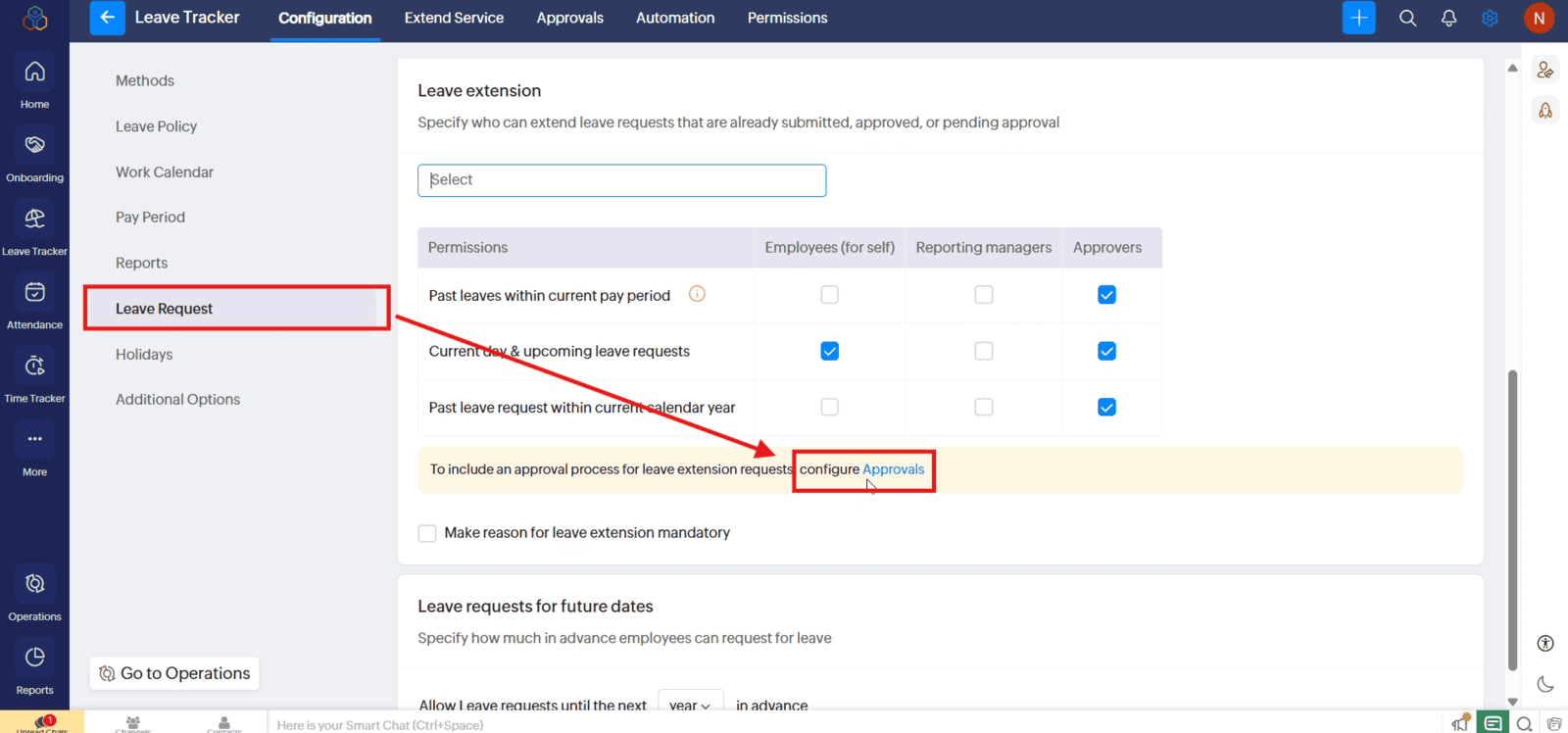
1.2 Under "Configuration", select "Leave Request" and click Configure "Approvals"
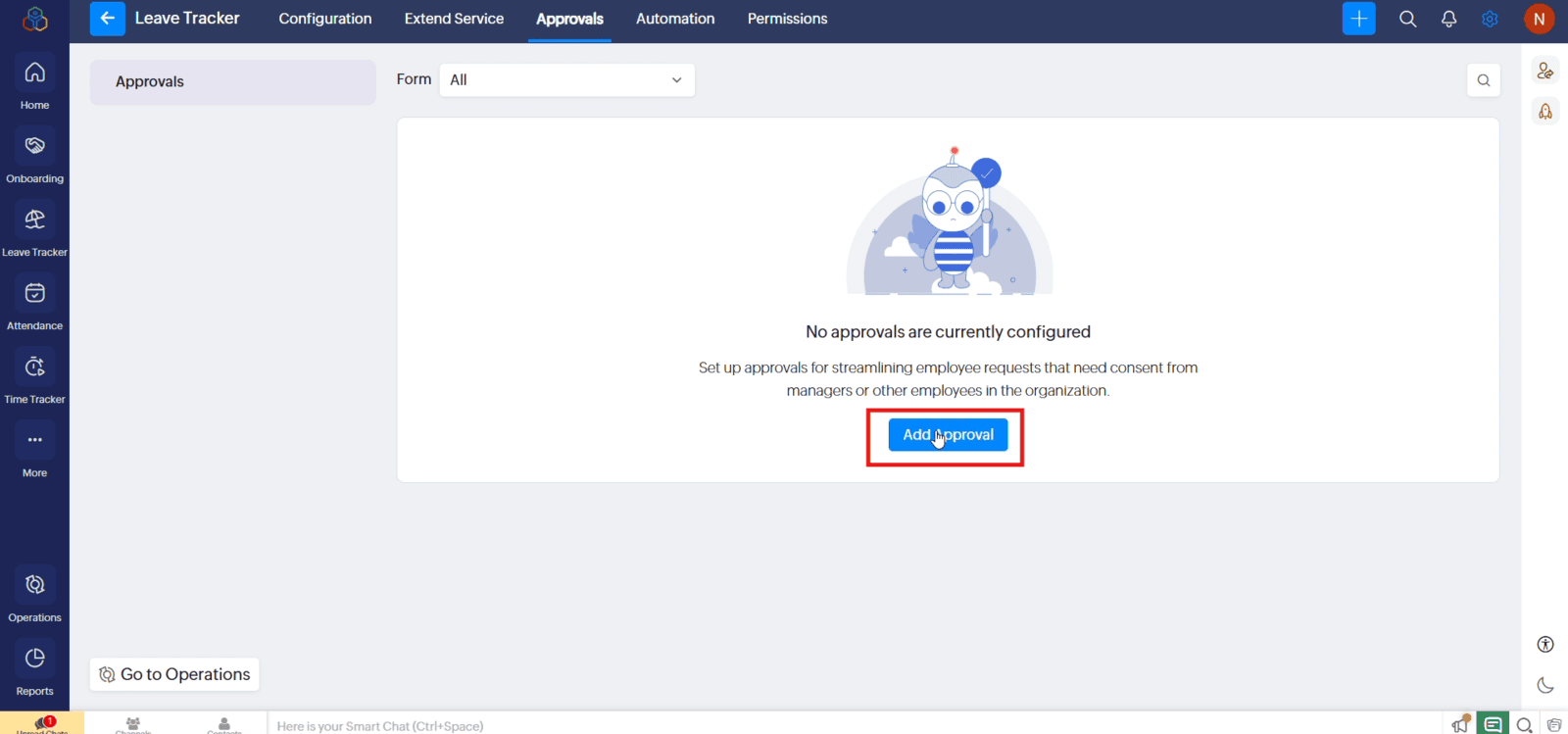
1.3 Then click "Add Approval"
1.4 Select "Reporting To" as the approver type and choose the appropriate approval level
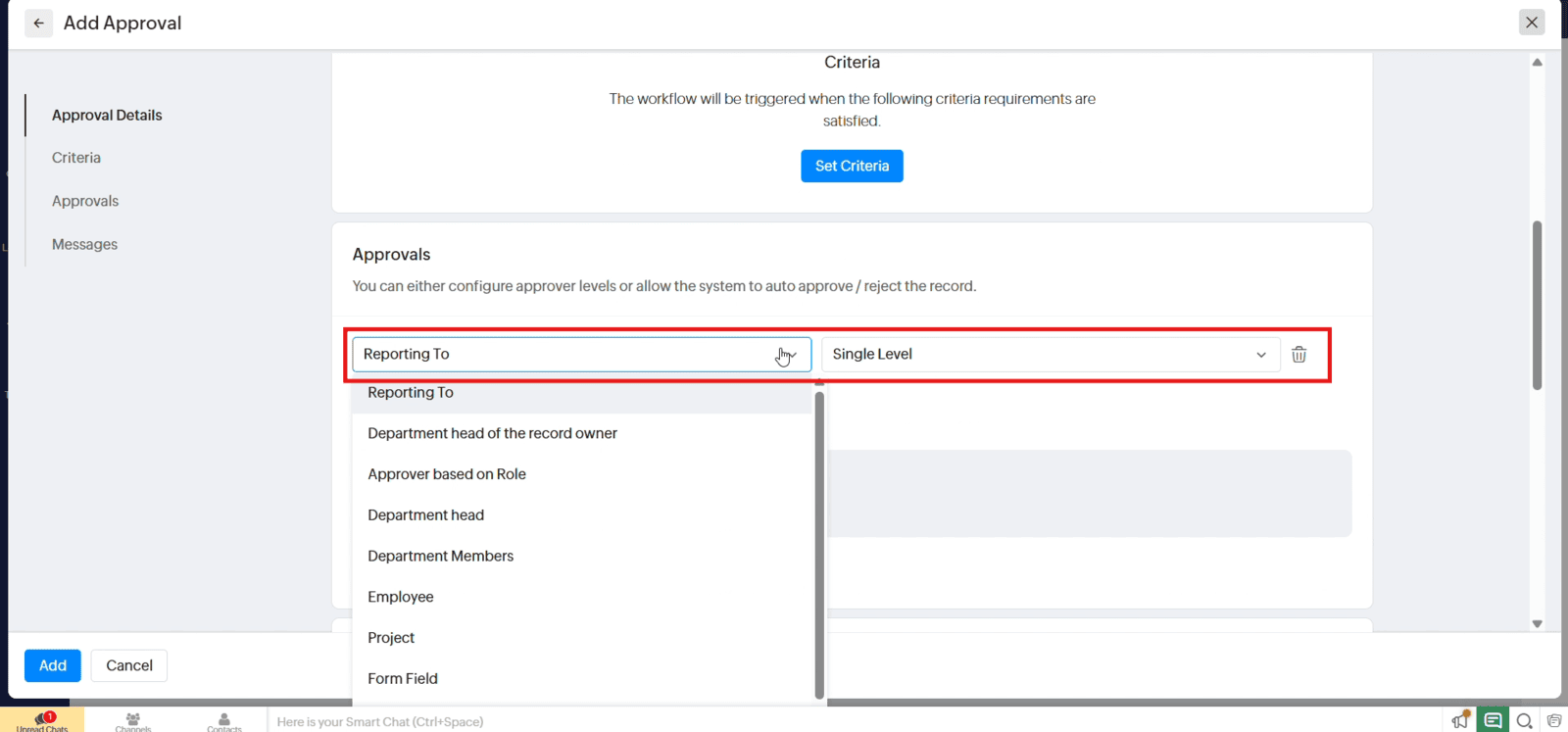
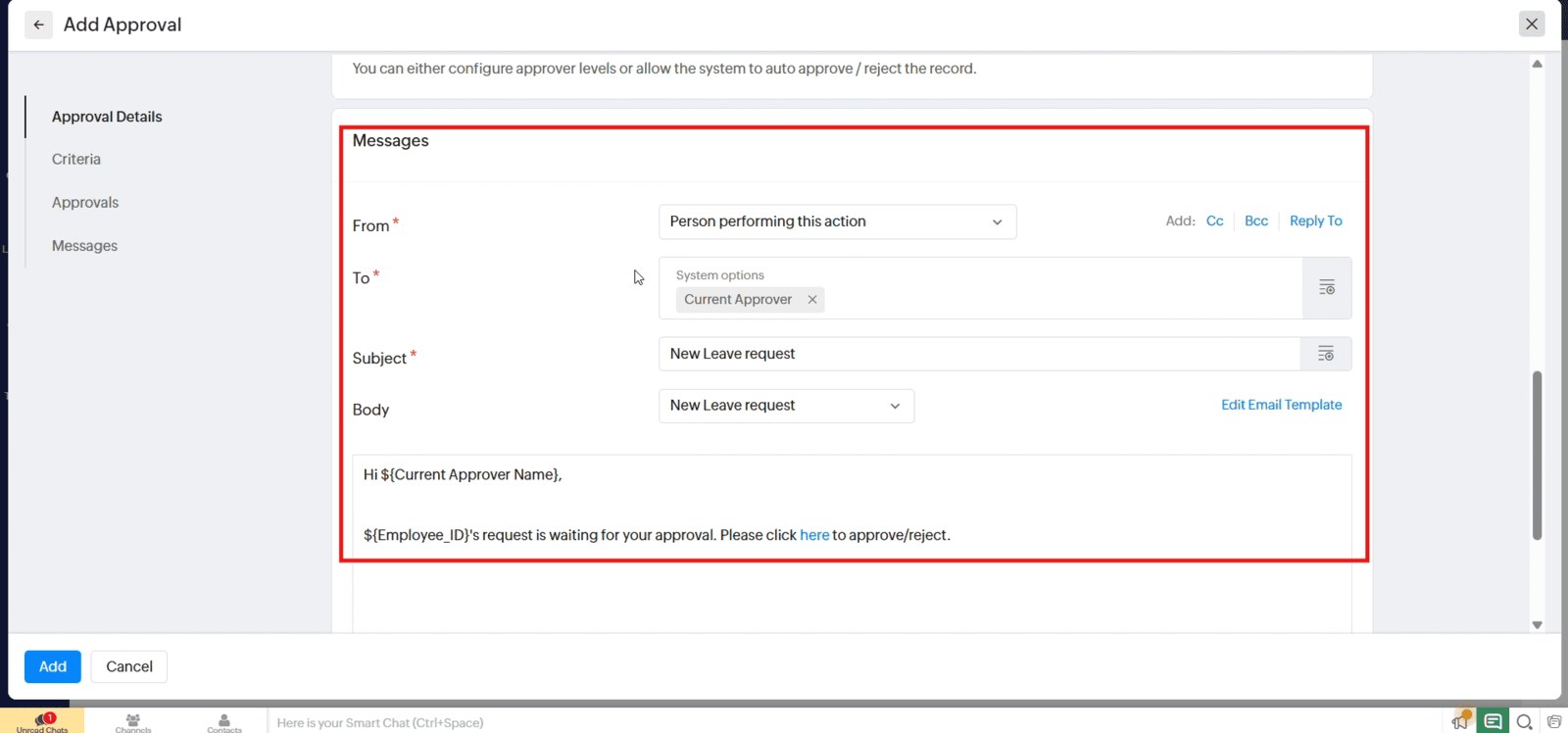
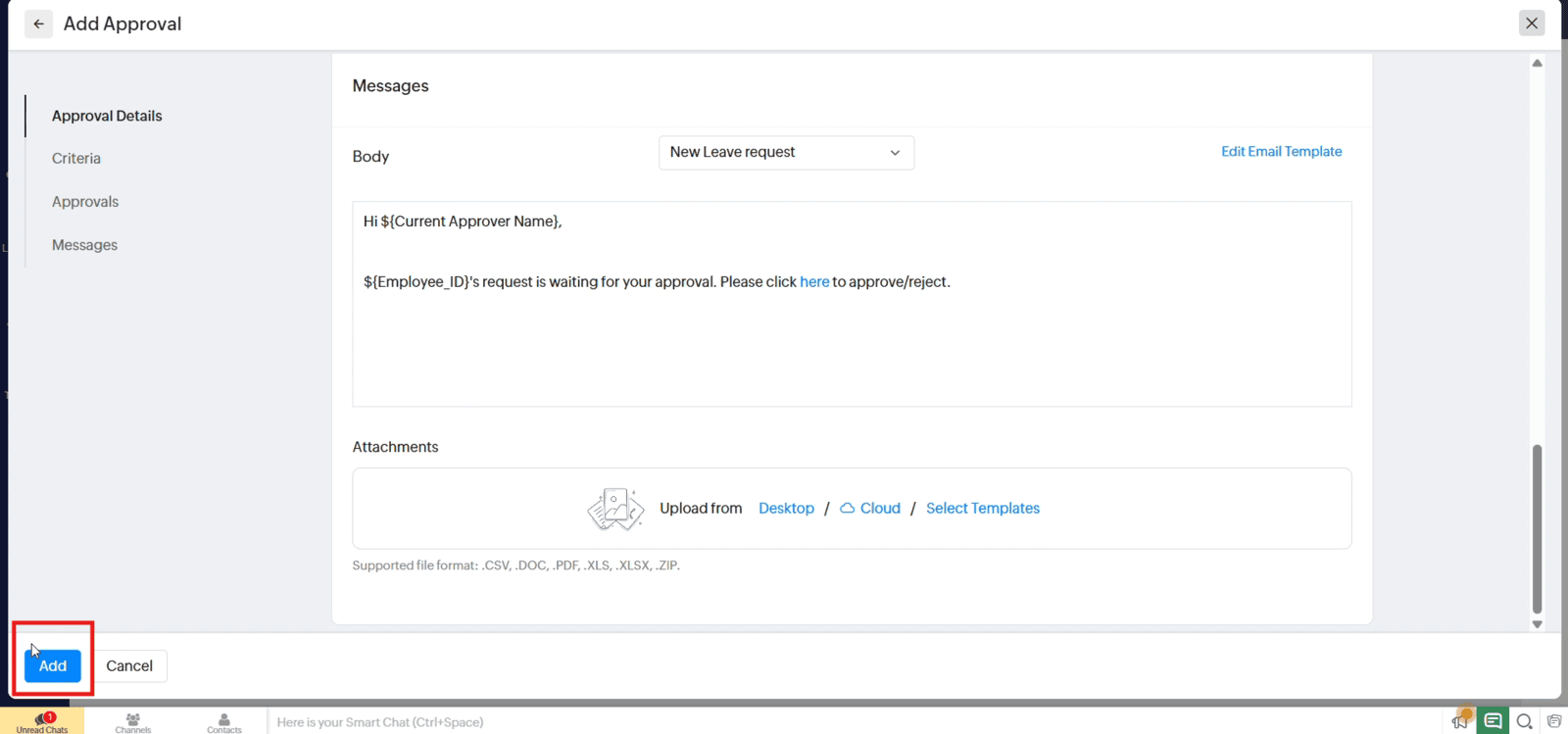
1.5 Review the notification settings and click "Add" to save the approval configuration
2. Applying for Leave
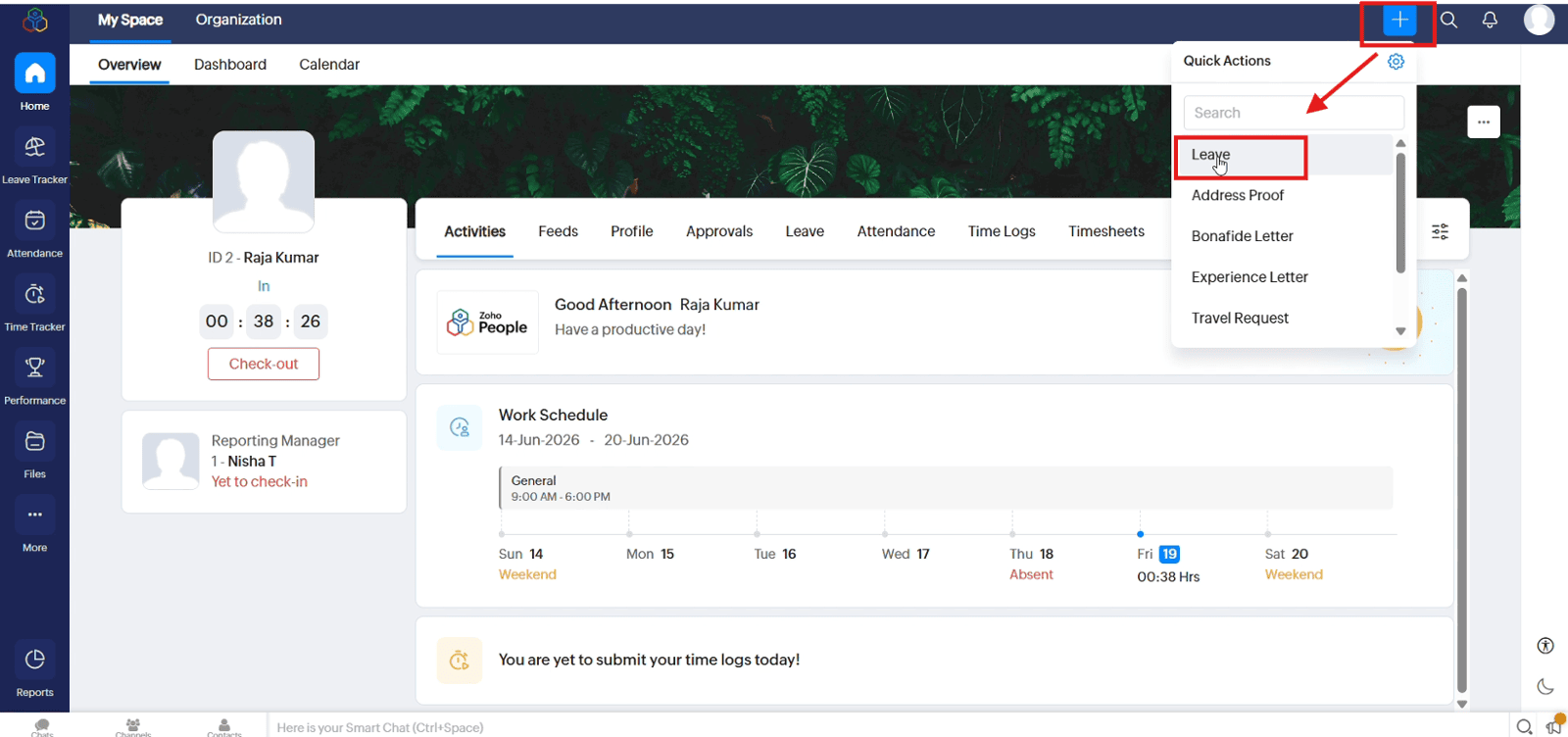
2.1 As an employee and click the "+" icon. Select "Leave" from Quick Actions
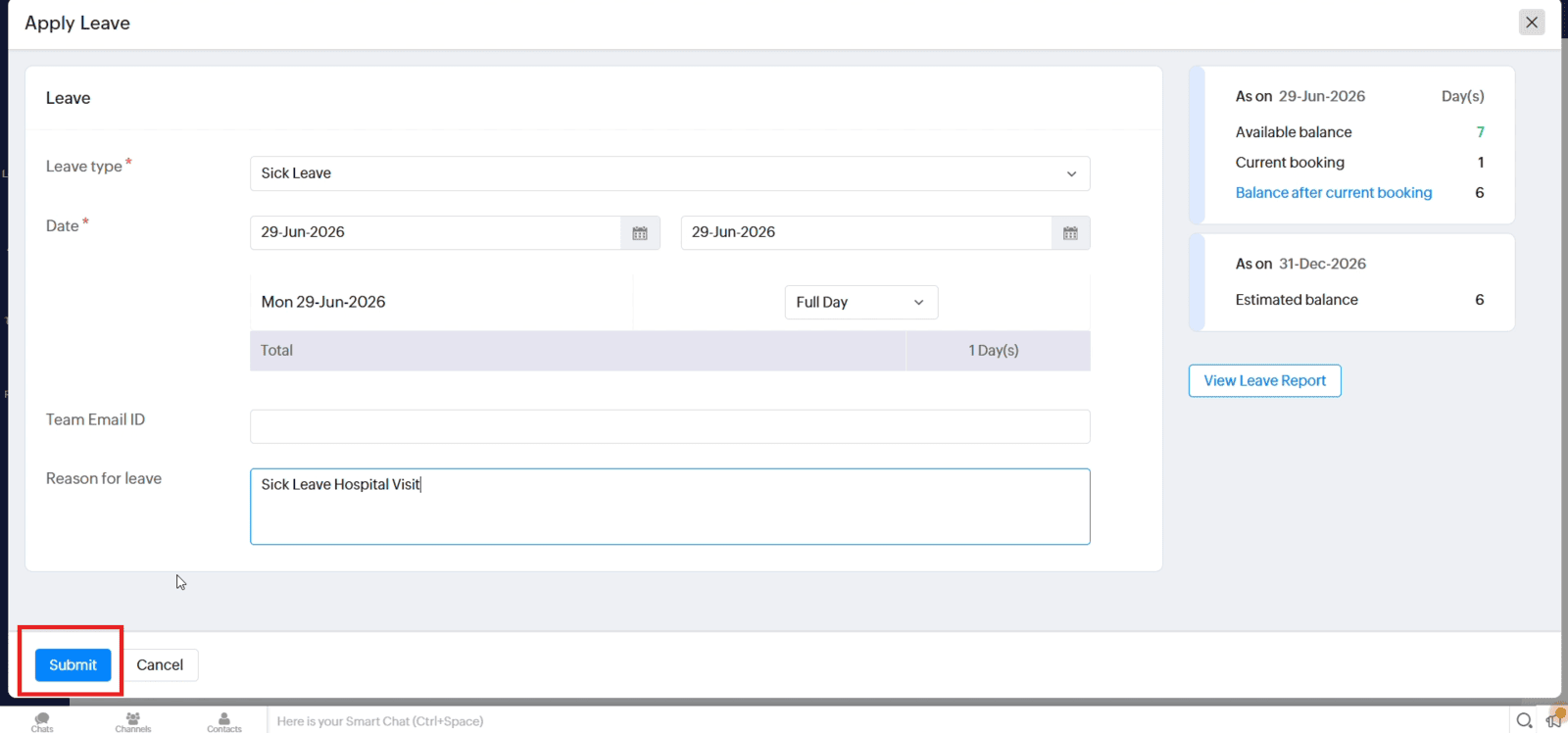
2.2 Select the leave type, dates, and duration, enter the reason for leave, and click "Submit" to send the request
3. Approving the Leave Request
3.1 As the reporting manager and open the "Approvals" tab on the Home page
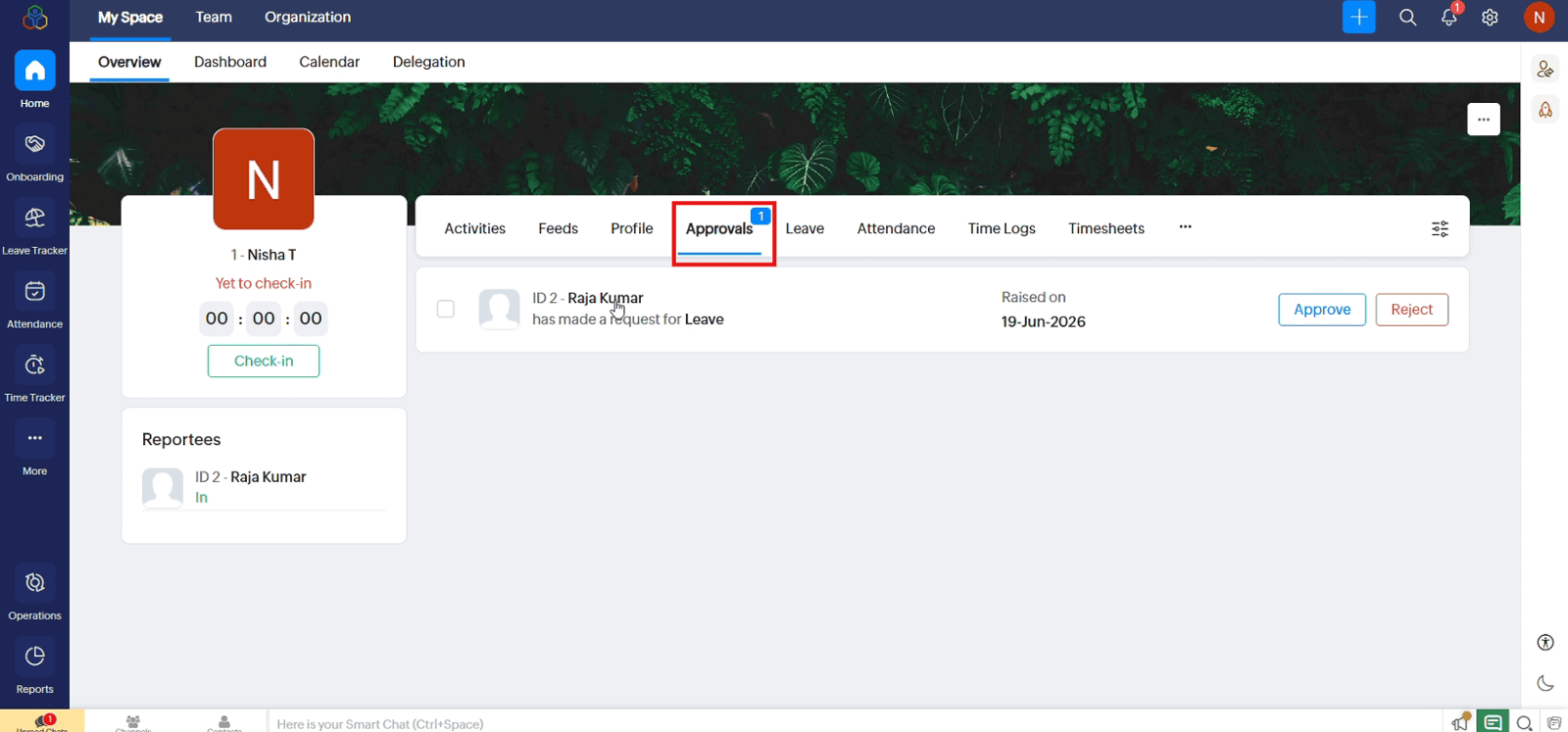
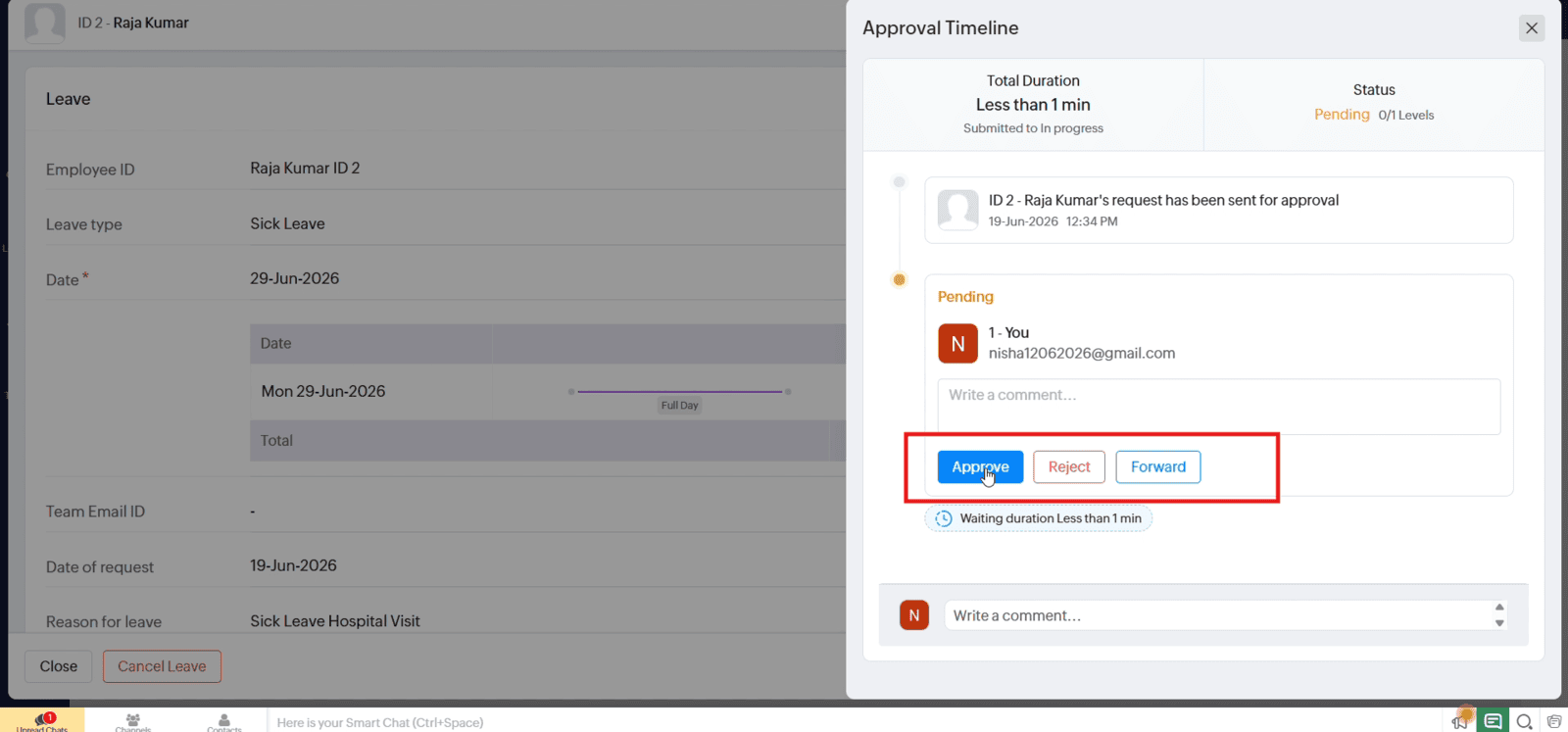
3.2 Review the request and click "Approve"
Video: Apply for and Approve Leave Requests in Zoho People
Here is the video explanation of the above steps.


